Google Ads Disapproved? Here's Every Real Reason and the Exact Fix for Each One
A disapproved Google Ad is one of the most common frustrations in paid advertising, and the reason given often feels vague or unrelated to anything you actually wrote. Here's a complete breakdown of the real causes behind every major disapproval reason, and exactly how to fix each one.
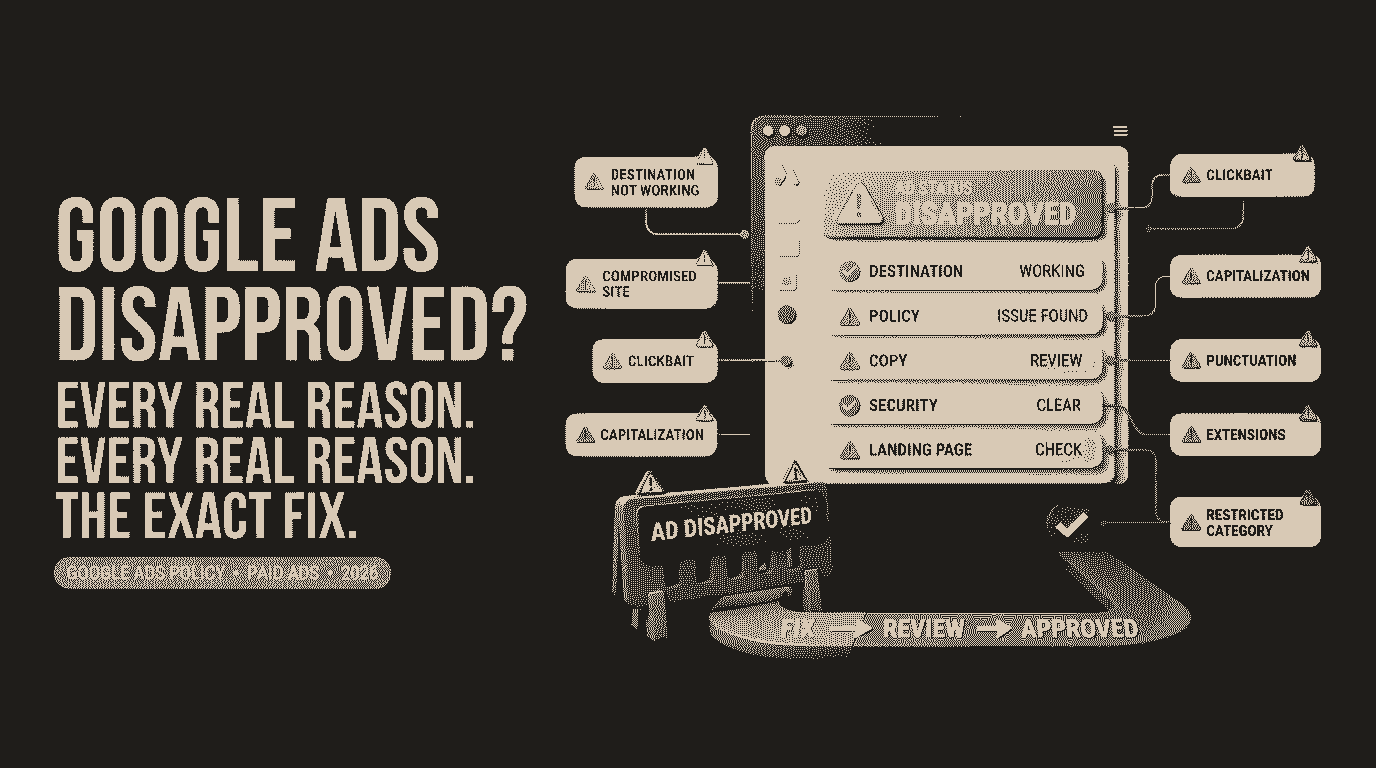
Google Ads Disapproved? Here's Every Real Reason and the Exact Fix for Each One
A disapproved ad is one of the most common, and most quietly expensive, frustrations in running Google Ads. It usually shows up as a small red status label with a policy name attached that doesn't obviously connect to anything in your ad, and while it's waiting to be fixed, it's simply not running, not generating clicks, not generating leads. Here's a complete breakdown of the real reasons ads get disapproved, and the actual fix for each one.
Why Disapprovals Happen in the First Place
Google reviews ads through a mix of automated systems and, in some cases, human reviewers, checking against advertising policies covering everything from misleading claims to technical issues with your landing page. The automated portion is fast but imperfect, and it frequently flags ads based on patterns and keywords rather than fully understanding intent, which is exactly why the reason given sometimes feels disconnected from what you actually wrote.
The Most Common Disapproval Reasons, and How to Actually Fix Each One
"Destination not working" or "Destination mismatch"
This means Google's system either couldn't load your landing page properly during review, or found that your ad's final URL doesn't match what's displayed. Check that your landing page loads quickly and correctly on both desktop and mobile, confirm there's no broken redirect chain, and make sure your displayed URL and final URL point to genuinely related destinations, not just technically matching domains.
"Compromised site" or "Malicious software"
This is one of the more alarming disapprovals, since it suggests Google's automated scanners detected something suspicious on your website, malware, hidden scripts, or a security vulnerability. Run your site through Google's Safe Browsing check and your hosting provider's malware scanner immediately. If your site was genuinely compromised, work with your developer or hosting provider to clean it before appealing, since simply requesting a review without fixing the underlying issue will likely result in the same disapproval again.
"Clickbait" or sensationalized content
This covers ad copy that uses exaggerated claims, artificial urgency, or emotionally manipulative language designed to provoke a click rather than accurately represent what you're offering. Reword copy that uses phrases like "you won't believe," excessive urgency ("last chance, act now" used without genuine time limits), or vague shocking claims, replacing them with specific, honest descriptions of your actual offer.
"Capitalization" or "Punctuation and symbols"
This is one of the more mechanical, easily fixed disapprovals. Google restricts excessive capitalization (writing entire phrases in caps for emphasis), repeated punctuation (using multiple exclamation points), and certain symbols used outside their normal grammatical purpose, like using a plus sign or asterisk to grab attention rather than to convey actual meaning. Simply rewrite the copy using standard sentence capitalization and normal punctuation.
"Extensions" disapproved
Ad extensions, sitelinks, callouts, structured snippets, have their own separate policy review, and a disapproved extension doesn't necessarily mean your core ad has a problem. Check each extension individually for the same common issues, misleading claims, broken links, or policy-restricted content, rather than assuming the issue lies with your main ad copy.
"Government documents and official services" or other restricted categories
Certain categories, including anything resembling government document assistance, financial services, healthcare, and several others, face stricter review regardless of how legitimate the business actually is. If you operate in one of these categories, check Google's specific policy page for that category, since some require pre-certification or additional verification before ads are allowed to run at all.
How to Actually Get a Disapproved Ad Fixed
**1. Check the exact policy cited in Google Ads, under the ad's status.** Hovering over or clicking the disapproved status typically reveals the specific policy reference, which tells you exactly which fix from above actually applies.
**2. Fix the specific issue rather than guessing broadly.** Rewriting an entire ad because of a punctuation issue wastes time when the actual fix is a two-second edit removing an extra exclamation point.
**3. Edit and resave the ad rather than creating a new one.** Editing an existing disapproved ad automatically triggers a new review. Creating an entirely new ad isn't necessary and just adds extra campaign clutter.
**4. For issues you believe were flagged incorrectly, use the "Request Review" option** rather than immediately rewriting the ad, since a human reviewer may simply approve it once they look at it directly.
**5. Be patient with review timing.** Most reviews complete within one business day, though some categories, particularly restricted ones, can take considerably longer.
If a Disapproval Keeps Happening Across Multiple Ads
A pattern of repeated disapprovals, even across genuinely different ads, often points to a deeper, recurring issue worth addressing directly rather than fixing one ad at a time:
- **Audit your landing pages as a whole** for consistent issues like slow load times, unclear content, or elements that could resemble policy violations across your entire site.
- **Review your team or agency's standard ad copy templates** for recurring phrases or formatting habits that repeatedly trigger the same disapproval reason.
- **Check whether your website itself has any lingering security issues**, especially if compromised site disapprovals have happened more than once.
Practical Habits to Avoid Future Disapprovals
- Write ad copy in a clear, factual tone rather than leaning on urgency or exaggerated claims.
- Use standard capitalization and punctuation throughout, saving emphasis for word choice rather than formatting tricks.
- Test your landing page load speed and functionality regularly, not just when you first launch a campaign.
- Run periodic security scans on your website, particularly if it runs on a platform like WordPress with frequent plugin updates.
- Keep ad copy and landing page content closely aligned, avoiding any bait-and-switch gap between what's promised and what's delivered.
The Bottom Line
A disapproved ad is rarely a mystery once you actually identify the specific policy behind it, most disapprovals have a clear, fixable cause once you know where to look. The businesses that handle this well aren't the ones who never get disapproved, that's genuinely rare, they're the ones who treat each disapproval as a quick, specific fix rather than a confusing dead end, and get campaigns back up and running the same day rather than losing a week of ad spend to a two-minute wording change.
FAQ
Why does my Google Ad keep getting disapproved for the same reason?
This usually means the underlying issue wasn't fully addressed in a previous fix, or the same template or landing page issue is being reused across multiple ads. Reviewing your standard ad copy and landing page setup as a whole, rather than fixing one ad at a time, typically resolves recurring disapprovals.
How long does it take for a Google Ad to be reviewed after editing?
Most ad reviews complete within one business day, though certain restricted categories or ads flagged for a more detailed manual review can take longer.
What does "destination not working" actually mean?
It means Google's system was unable to properly load your landing page during review, often due to slow load times, a broken redirect, or the page being temporarily unavailable.
Can I appeal a disapproval instead of editing my ad?
Yes, if you believe the ad was flagged incorrectly, you can use the "Request Review" option, which sends the ad to further review rather than requiring an immediate edit.
Will creating a new ad fix a disapproval faster than editing the old one?
No. Editing and resaving the existing disapproved ad triggers a new review just as effectively, and creating a duplicate ad isn't necessary and can add unnecessary clutter to your campaign.
Does a disapproved ad affect the rest of my Google Ads account?
Generally, a single disapproved ad affects only that ad, not your entire account. However, a pattern of repeated or serious violations across multiple ads can eventually contribute to broader account-level restrictions.